
This is an article in the "Blended training activities with LearningStone" series of the LearningStone blog - for trainers who want to get more out of their learning environment.

Giving feedback is a skill you don't learn in a single afternoon. Combine classroom activities with LearningStone and give participants the space to truly practice - before, during, and after the training. Choose the feedback model that works for your participants, explain it in a video, and then start practicing.
This is an article in the "Blended training activities with LearningStone" series of the LearningStone blog - for trainers who want to get more out of their learning environment.
Giving feedback sounds simple, but in practice, people stumble over the same things: too vague, too personal, or simply too late. As a trainer, you know that one exercise in the room is not enough. Participants need repetition, a safe environment, and a model that provides guidance. Fortunately, you can expand the learning space - far beyond the training day.
There are many feedback models that you can provide as a structure. The 4G-model helps participants formulate concretely and non-confrontationally. The OEN method emphasizes asking questions rather than judging. It SBI-model (Situation, Behavior, Impact) is compact and widely used in international settings.
See below for more!
Start the online learning environment with a short video in the LearningStone course timeline. This could be a YouTube clip about giving feedback, or your own recording in which you explain one of the models. This way, participants arrive at the training already prepared, and you don't have to build up the theory entirely in a classroom setting, although repetition is always good. You attach a progress marker to it - "Have you watched the video?" or “How are you planning to use this?” - so that you, as the trainer, can immediately see who is ready for the session.
Use a classic role-playing structure in the room. Work in groups of three: one person gives feedback, one receives, one observes and then gives feedback on the feedback. Switch roles after each round. Use one of the models as a discussion card. Practicing as a whole class is powerful because the trainer can provide immediate guidance and the group dynamics can be used as learning material.
After the training day, the real work begins. Ask participants to share a real-life situation via a dialogue in LearningStone. They describe what was going on and how they gave or received feedback. You or fellow participants respond with further elaboration or a thought-provoking question. Unlike an email, a dialogue in LearningStone is well-organized, easy to reread, and linked to the group space where all learning materials are located.
Do you want participants to write a short reflection? Have them upload a document to their personal folder or a group folder in DocsThat folder is only visible to the participant and the trainer - a safe place for honest self-reflection. You can also create a logbook using the form generator or use an example (add a form to the course timeline and you will find the examples at the top).
For a somewhat more playful approach, you can use the LearningStone Wall. As a trainer, post a short case description - a situation in which someone is giving feedback - and ask participants to respond with how they would handle it. Everyone sees each other's responses and can build upon them. This way, you practice feedback language in a low-threshold environment, and participants also learn from each other's phrasing.
The 4G model (widely used in Dutch-speaking regions and professional coaching) is designed to keep feedback objective and non-confrontational. It consists of:
The OEN method (often translated from Dutch: Objectief, Effect, Nuance/Navragen) emphasizes a non-judgmental approach.
The SBI model (developed by the Center for Creative Leadership) is indeed a compact, world-renowned standard for feedback.
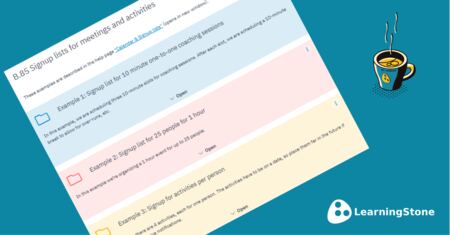
Tracking participant sign-ups for activities, assignments, or one-to-one coaching sessions might seem like a minor task, but it’s a major time-sink for trainers. When one of our clever LearningStone…

Imagine this: participants creating their own videos about what they’ve learned. Not as homework that gets filed away, but as a powerful learning exercise that encourages reflection, elicits feedback

Trainers who truly involve participants in their own learning process get more out of a training. With LearningStone, you have three powerful features to organize this in advance. And of course, as a…